Audiobook Reader CLI: Command-Line TTS Tool
If you enjoy reading or do work that requires it, you can probably think of a lot more texts that you want to read than you will ever have time to read. I started experimenting with audiobook generation using AI voice models to try and extend that time.
I looked into text to speech and AI voice models, expecting to find a free tool like Audiobook Reader, which will allow me to efficiently convert text files to mp3 significantly faster than real-time. To my surprise, I did not find what I was looking for, so I decided to make this audiobook reader. Using a combination of hardware acceleration, parallel processing, and runtime optimisation it converts texts to audio at around 10x real-time speed on a recent Mac or equivalent computer and handles interrupts. In addition to the original CLI, there are standalone distributions for Mac/Win/Linux.
Features
- Around 10x real-time conversion speed: The backend automatically detects NPU/GPU/CPU configs and uses appropriate hardware optimization for speed and parallel processing
- 54 voices in 9 languages: Female, male and androgynous sounding voices in all languages
- Voice blending: Mix voices to create new ones
- Format support: EPUB, PDF, TXT, Markdown, RST → MP3, WAV, M4A, M4B
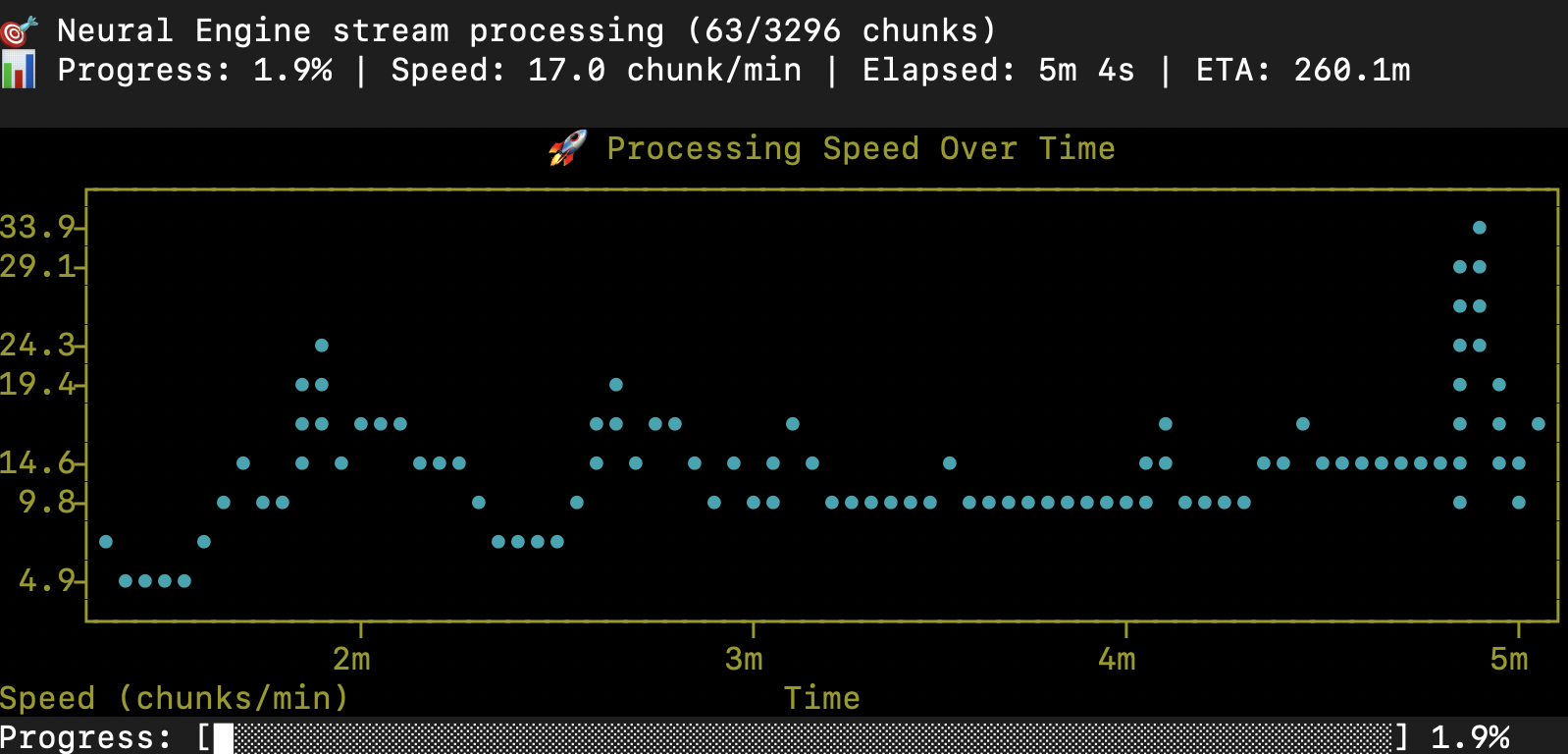
- Progress visualization: Visual progress bars with time estimates and conversion speed
- Character voices (in development): Different voices per characters or have it done automatically
- Pause/resume: Interrupt and continue conversions
- Batch queue: Add multiple books, process sequentially or in parallel
Please note that I don’t have the resources to support and test all the distributions at the same level. CLI is always the best if you are not afraid of typing, and where I roll out new features first. Mac is tested regularly but inherently more complex. Win and Linux are in beta, QA help is welcome.
Installation
Install via pip (Python 3.10-3.13 required):
pip install audiobook-reader
The package is audiobook-reader, the command it installs is reader.
PyPI Package: https://pypi.org/project/audiobook-reader/
GitHub Repository: https://github.com/danielcorsano/reader
Requirements
- Python 3.10-3.13
- FFmpeg (
brew install ffmpegon macOS,winget install ffmpegon Windows,sudo apt install ffmpegon Linux) - Kokoro voice models (~310MB, downloads automatically on first use to system cache)
- Supports macOS, Windows, Linux
Features
- 54 voices in 9 languages (American English, British English, Japanese, Mandarin Chinese, Spanish, French, Hindi, Italian, Brazilian Portuguese)
- Voice blending: Mix multiple voices for unique characteristics
- Format support: EPUB, PDF, TXT, Markdown, RST input → MP3, WAV, M4A, M4B output
- Performance optimization: Hardware detection for NPU/GPU/CPU acceleration (approximately 10x real-time on Apple Silicon with Neural Engine)
- Batch processing: Glob patterns for converting multiple files
- Scriptable: Integrate into automation workflows
- Checkpoint resumption: Resume interrupted conversions
- Chapter detection: Automatically identifies chapters in input files
- Progress tracking: Real-time conversion status in terminal
- NEW FEATURE: Text stripping: use the strip command to automatically detect and remove non-content like bibliography, table of contents etc. Then use the automatic content parser to choose which sections of the text you want to have read. Available only in CLI for now.
Usage Examples
Basic conversion:
reader convert --file book.epub
Interactive text cleaning (notes, table of contents, ISBN number etc.) followed by optional conversion:
reader strip mybook.epub
The strip command detects chapters (marked EPUB structure → headings → formatting fallback), then a 5-signal classifier (title keywords, EPUB metadata, content patterns, prose density, relative length) suggests which front and back matter to remove — copyright pages, table of contents, bibliography, index, acknowledgments, about the author.
You then tune the boundaries, front first and back second:
[1] strip more [2] strip less [3] OK [4] skip auto-strip (go to manual)
The back menu adds [5] Back to redo the beginning, and the ending is only previewed if you ask for it, so nothing gets spoiled. Optional manual refinement uses strip/keep syntax:
s 0, 6-8   → Strip chapters 0, 6, 7, 8 (keep the rest)
k 1-5      → Keep chapters 1-5 only (strip the rest)
The cleaned text is saved as mybook_stripped.txt next to the original (output is always plain text — EPUB and PDF are extracted), and you are then offered conversion, with an interactive dialog for language, voice, and speed.
Specify voice:
reader convert --file book.pdf --voice af_sky
Choose where the audiobook lands (downloads is the default, same puts it next to the source):
reader convert --file book.epub --output-dir same
Batch conversion:
reader batch add books/*.epub --output-dir output_dir/
reader batch process --max-workers 4
Custom speed and format:
reader convert --file novel.txt --speed 1.2 --format m4b --voice am_adam
List available voices:
reader voices
Advanced Usage
Configuration file support:
Defaults are saved permanently with the config command (run it with no options to print the current settings):
reader config --voice bf_emma --speed 1.1 --format m4b
These live in ~/.config/audiobook-reader/config.yaml. For per-project defaults, drop a .reader.yaml next to your books — it is picked up automatically by searching upward from the file being converted:
tts:
  voice: bf_emma
  speed: 1.1
audio:
  format: m4b
output_dir: ~/audiobooks/
Character voices (beta): Assign different voices to characters in dialogue. See documentation for syntax.
Consider Supporting
I created this alone, and it will be free and open source forever. For issues and feature requests please use GitHub. If you find it useful, please consider supporting me so I can improve this tool and create more.
Copyright Notice
IMPORTANT: This software is a tool for converting text to audio. Users are solely responsible for:
- Ensuring they have the legal right to convert any text to audio
- Obtaining necessary permissions for copyrighted materials
- Complying with all applicable copyright laws and licensing terms
- Understanding that creating audiobooks from copyrighted text without authorization may constitute copyright infringement
Recommended Use Cases:
✅ Your own original content ✅ Public domain works ✅ Content you have explicit permission to convert ✅ Educational materials you legally own ✅ Open-source or Creative Commons licensed texts (per their terms)
I do not condone or support copyright infringement. By using this software, you agree to use it only for content you have the legal right to convert.